I have inserted another image into the text of the main story on this page as this is regularly done in the stories of many editions of local newspapers.
I have added another image to the front cover, for a smaller story and used the paceholder text tool again.
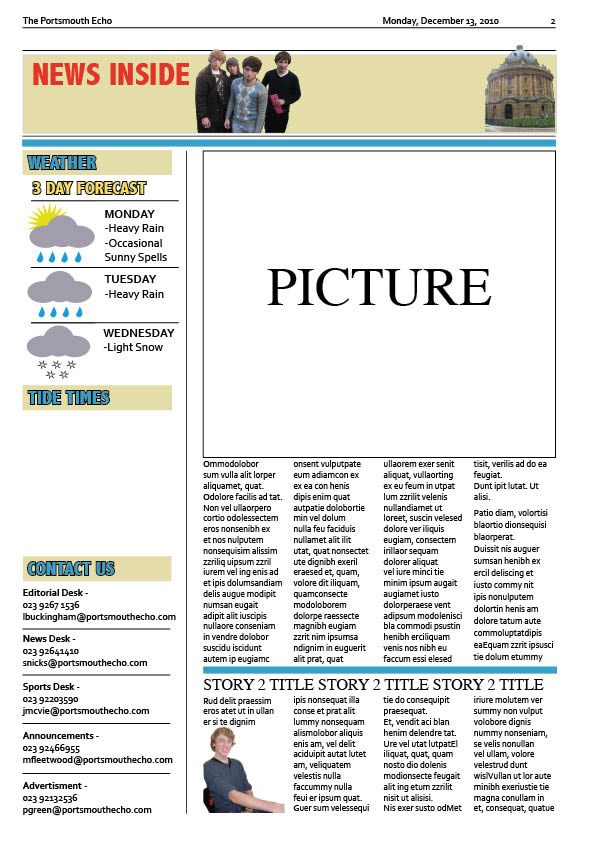
I have also added two more images to the second page. One in the top bar and also the main image of the story; I have also given this story a title that will instantly grab the attention of nearly every reader as it will most likely effect them.
I have added a 'contact us' section to the second page, as this is a regular convention of local newspapers. I have also created the space for the second story and added an image, I have predicted what it will finally look like by using the placeholder text tool again.
I have began to use one of my images on the second page for the stories that feature inside the newspaper. I have also began to create the weather forecast that features in every local newspaper. I did this by taking symbols from clip art and overlaying and adding shapes in photoshop.
I have changed the colur of the strip at the top of the page to keep with the 'Porstmouth' blue colour theme.
I have chosen a title for the main story and one of the smaller stories ont he front page. For the main story the title works with the image to connect with the reader in an issue that is of a concern to people who live in the local area. I will now be able to write the stories to the title as well.
I have changed the colours slightly to try and make the paper seem more professional and try and keep to similar coulrs so that the pages do not contrast too much. I have also insereted the place where the second story on page two will go.